Showing posts with label cricut. Show all posts

Thursday, March 22, 2018

Crafting Away --Pooh and Friends

I have a crop coming up the first full weekend in April (5-8) and the theme for the weekend retreat is Once Upon a Time Storybook. Usually, I don't decorate my table (or myself) to match the theme but decided this year to give it a go. I choose Winnie the Pooh as I had a costume in mind, most of the required pieces I own and only need to make two items. Then there was the fact that I could make use my Pooh Cricut cartridge to create some characters.

At this crop, I'll have 2 tables (one cropping, one for my books) the theme for one will be scrapbooking mysteries and the other Winnie the Pooh. My first big decision was deciding on the main size for the characters I thought about going "big" but didn't want to just toss the die cuts away or have no real use for them so I went with six inches, big enough for them to be seen at my table but not so large they wouldn't later fit on a scrapbook page.

Today I've taking a break from writing to work on my decorations (the crazy weather also sets off my migraine and while I can craft with a lingering headache...writing not so much). I have a five of them done and still need to make Kanga, Roo, Owl, Eeyore, and of course Rabbit. I've looked in my designs and don't see one for Christopher Robin so unfortunately he'll be left out.

Thursday, March 15, 2018

Getting Over the Crafting Fear

This year, I spend some time every week doing something craft related, and part of that is at least once a month, trying a technique or a craft that I've been scared of doing...last week was Print and Cut with the Cricut. I have a bad habit of buying/collecting items to do a project and then convincing myself it is above my capabilities or that I'd going to somehow ruin all of the materials. by trying to make the item. I keep telling myself it's no more of a waste to mess up the materials than it is to have them sitting in cabinets. It's one of the items I'm working on during my year of "doing" as I labeled 2018.

One of the reasons I got a newer Cricut, the Explore Air 2, was for more intricate die cuts and also using the writing and print feature. I love the writing feature, especially for journaling. My handwriting isn't the best and I like being able to include journaling that doesn't look typed and matching the pen color to the photos is a huge bonus. On  my to learn list this year was the Print and Cut feature. I've been delaying trying this feature, even after purchasing a color printer so I could use the function as I've been wanting to make stickers for my planner.

Last week I wasn't feeling well, and since I wanted to continue with my completing a craft project every week, decided to give Print and Cut a try. Just one, I told myself. One item. And, I'd make it easy on myself by using one of the Printables from Cricut Access. Pick a design, add it, click Make It. Not too hard.

And, it wasn't as hard as I had convinced myself for months it would be. YouTube videos helped a lot as I'm a visual learner. I'm planning on using this item in a cruise album when we went on a "pirate ship" to head to Honeymoon Cove and swim with the turtles (or rather my husband swam with the turtles while I lounged on the boat, I'm not a swimmer). I was so excited to give it a try and see that it wasn't as difficult as I was telling myself it was. Now, I'm trying to learn how to turn a regular cut image into a print and cut, I thought I had it figured out, by attaching the image together, but it cut out all the pieces. I'm thinking I might need to weld and attach. There's no way I want to print out quite a few Tinkerbells,and have all the individual pieces cut out and have to glue her all back together. Wish me luck!

Thursday, March 8, 2018

March is National Craft Month

In my plans was to create a fantastic blog post about National Craft Month but I'm finding today that the stuffiness in my head from a cold is affecting my brain. National Craft month was started in 1994 by the Craft and Hobby Association (CHA) to encourage people to try their hand and crating and experience some of it's many benefits, including lowering stress levels.

Over the years, I've tried many types of crafts (in the early 90s: decorating teddy bears, cross stitching, latch hook, and later started card making, scrapbooking, sewing, paper/vinyl crafting, and crocheting). Some of the crafts I no longer do and wish I could find the pictures of my earlier creations so I can create a crafting through my life scrapbook.

Right now, my crafting time is taken with crocheting, scrapbooking and vinyl designs. Here are some pictures of a few of my recent projects:

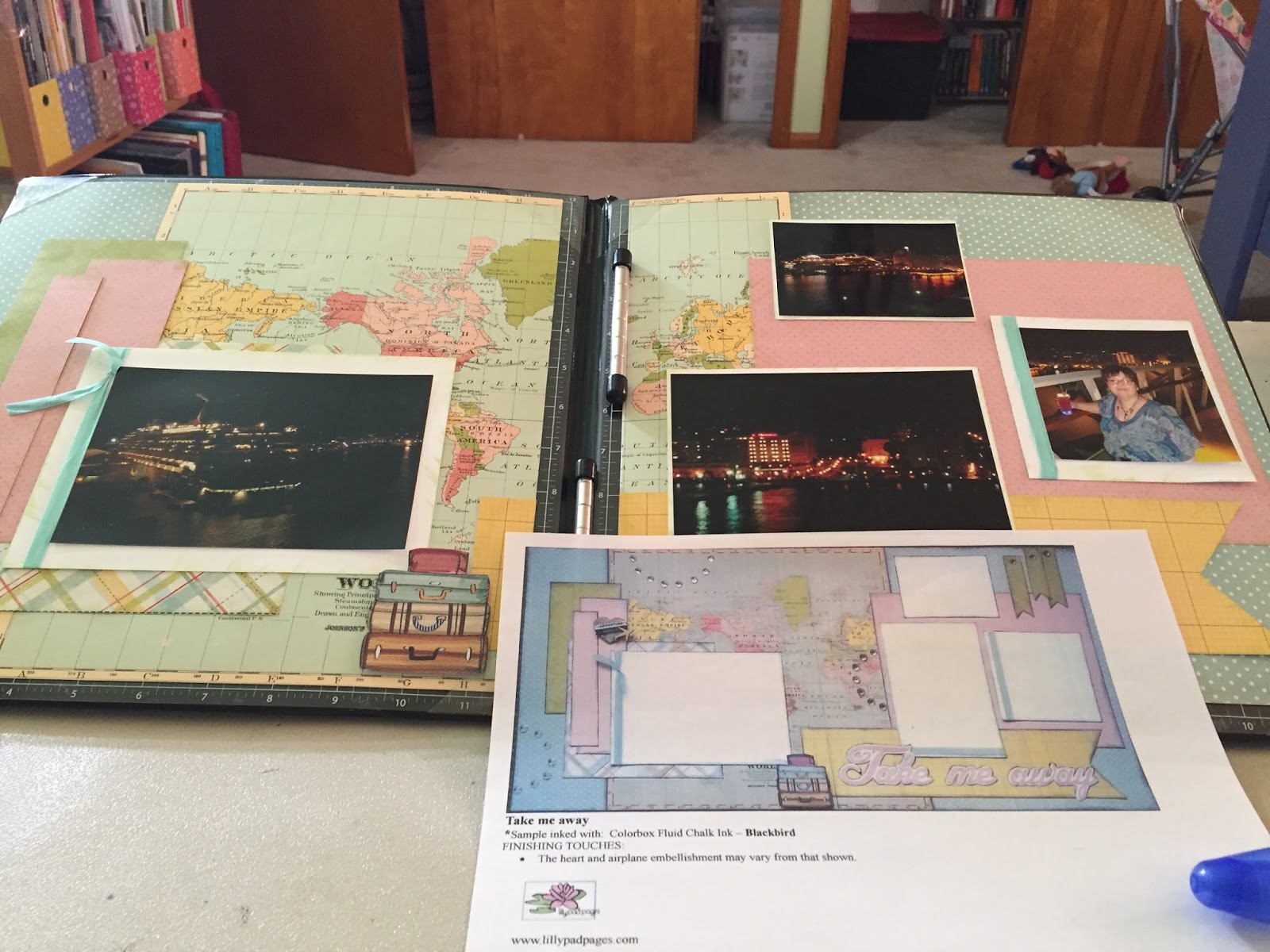
A layout for the anniversary album using a Lilly Pad Pages layout kit.

Decorated my Cricut with vinyl

Merboy tail. I had a request from a little guy for a boy tail as I had made his sister one (of course that meant he needed one of his own).

Thursday, June 22, 2017

Journaling With the Cricut

After finishing this editing round of Altered to Death, I decided to set it aside for a day to come back to it with fresh eyes for another pass. Since I've either been working on the book or at the golf course the last few weeks, I was going to take the day off and do so crafting. (I'm also on a mini break from my part time job because of a stress fracture requiring me to wear a boot/air cast...hard to get around with it on.)

I had a page that needed some journaling and wanted to change up from handwriting it so I used the write function on the Cricut Explore Air. I've used it in the past and loved it. My original idea for this post was to give some nontechnical instructions (ex. click on the icon that looks like bread with jelly) on how to use the function. Well, I've had to make a slight change in plans as Cricut just released a Beta version of their design program and I stumbled it through it today. Once the program is out of beta mode, and I've practiced on it some more, I'll give some pointers. It took me awhile to figure out how to move the text to the area where I wanted it to write (hint: instead of "grabbing" and moving like in the prior version, there is a section on top stating where the image or text is located, the inches needed to be changed to move the item.) Of course, now that I figured it out it might change.

While I like the look of the journaling, and the relative ease of using the function, it does take a long time for the text to write. It took about fifteen minutes to complete the journaling box. The first time I used it I panicked a little when I saw it skipping letters in words and going to the beginning of a sentence without completing the previous one, but upon watching the Cricut do it's thing, I discovered that is the way the Cricut does the writing.